




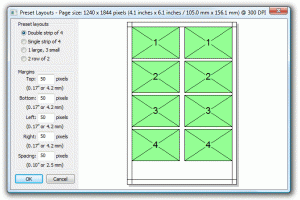
 Trying to set up your Breeze software to drive your photo booth? Here are a couple of links I think you will find very helpful: The first link will take you to a guide which shows how to setup your printer, define a double strip of four images and add a logo using a background .jpg image. https://www.breezesoftware.com/support/ This second link goes into more detail on how to use Breeze software in photo booth mode. This is a great place to start if you are new to Breeze software. https://www.breezesoftware.com/support/ Don't already own Breeze software? We now are offering Breeze software bundled with the following photo booth printers: DNP DS40 HiTi P510L (features 2x6 strip cut) HiTi P510S (features 2x6 strip cut) Mitsubishi CP-D70DW Sony UPDR150 Shinko S2145 (feature 2x6 strip cut) You can find more information about these and other photo printers by visiting our printer comparison chart. If you have any questions about Breeze software or photo printing in general don't hesitate to contact us at 800-342-9294.
More articles you might like

Category_Customer Profiles
Customer Profile: Rayson's Creations Kaptured M...

Category_Passport Photo Printing
Capture Perfect ID Photos Every Time with Intel...

Category_Photography Business
The Complete Guide to Film Development and Anal...

Category_Customer Profiles